Making a simple TODO single page web app using VueJS.

Hey! I made a TODO web app just for trying out VueJS, with not so cool design. But it's okay for me, as an experiment.
This is what I created 👨💻
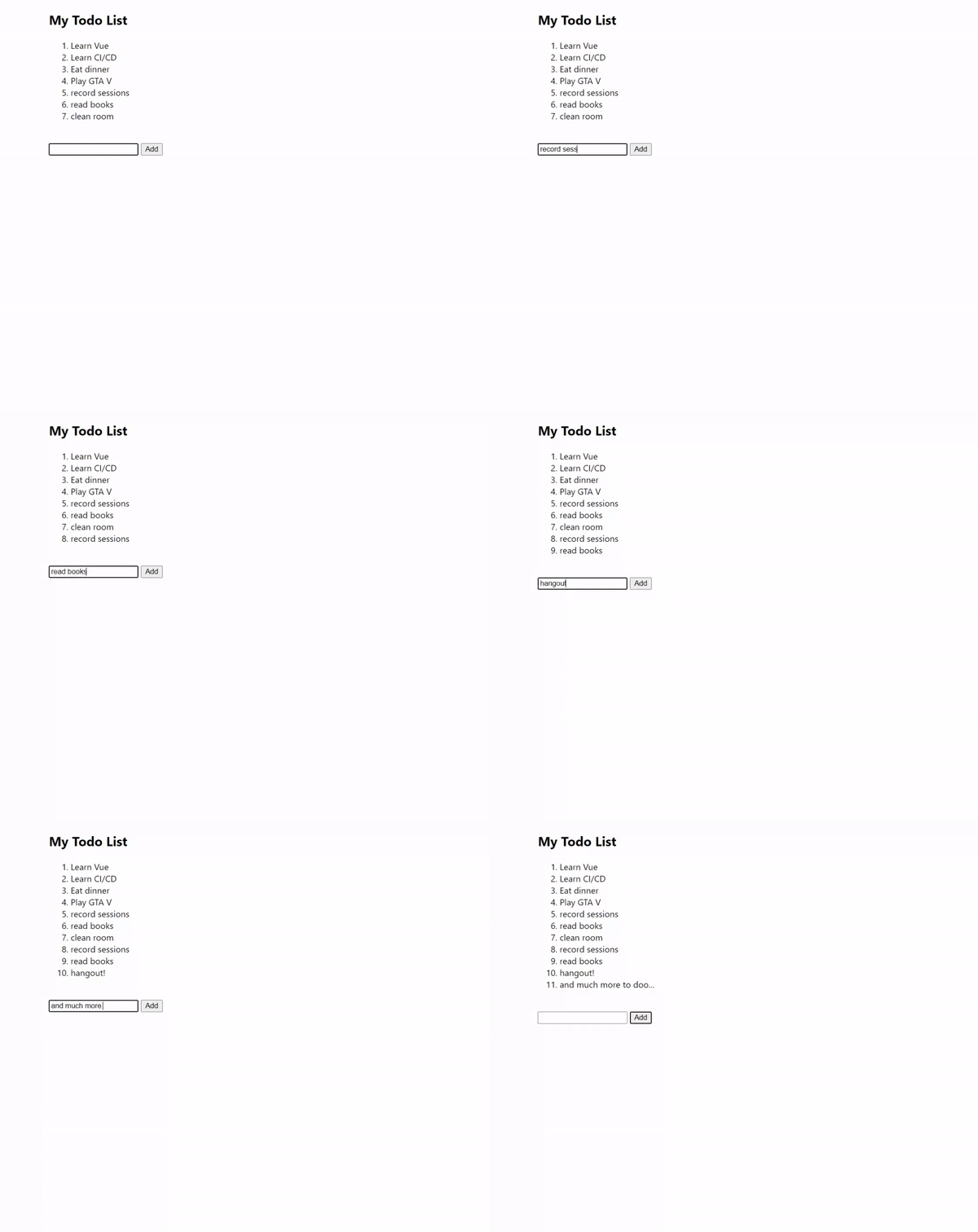
Create these three files:
- index.html
- app.js
- style.css
index.html
Things wrapped in {{ }} are data coming from the Vue app component.
v-bind:class binds to see if the state is true, then it sets the class.
v-on:click attaches an event listener to the button.
v-for iterates over an array of "todos" present in the data object of the Vue app.
    <div class="container">
      <div id="app">
        <h2>{{title}}</h2>
        <ol type="1">
          <li v-for="todo in todos">{{ todo }}</li>
        </ol>
        <br />
        <input v-bind:class="{'text-warn': shouldWarn}" v-model="newTodo" />
        <button v-on:click="createNewTodo">Add</button>
      </div>
    </div>
style.css
body {
  margin: 0;
  padding: 0;
  font-family: "Segoe UI", Tahoma, Geneva, Verdana, sans-serif;
}

li {
  margin: 0;
  padding: 0;
}

.container {
  margin: 0 10vw;
}

.text-warn {
  border: 2px solid red;
}
app.js
In the below example, el:"#app" sets the initialized Vue app to the DOM element with id="app"
var app = new Vue({
  el: "#app",
  data: {
    title: "My Todo List",
    shouldWarn: false,
    newTodo: "",
    todos: ["Learn Vue", "Learn CI/CD", "Eat dinner", "Play GTA V"],
  },
  methods: {
    createNewTodo: function () {
      if (this.newTodo) {
        this.todos.push(this.newTodo);
        this.newTodo = "";
        this.shouldWarn = false;
      } else {
        console.log("newTodo doesn't exists.");
        this.shouldWarn = true;
      }
    },
  },
});
PS: you can fork the GitHub repo, and try styling it, and use localStorage() for storing the todos.
See ya! 😃
Article Cover credits: Andre Madarang's video thumbnail: Vue.js Todo App - Basics - Part 1
Comments
Join the discussionHey, that's a good start, Vue.js is really neat. Thank you for the post! If you are looking for more javascript beginner projects I might have something to help you developing your javascript skills :)
Hello Simon Holdorf, Thanks for sharing the article about javascript. Its really good and insightful, looking forward to reading more from you. Let's connect on my Twitter @amaancodes 😄👨💻
Amaan Ahmad sure, let's do it


